




Short answer: Standard GA4 is client-side, so consent banners, Consent Mode V2 and ad blockers suppress events, leaving unassigned traffic and revenue that does not match Shopify. TrackBee's GA4 integration sends complete first-party ecommerce data server-side, with no Google Tag Manager, data layers or ongoing maintenance, so GA4 finally matches your store.
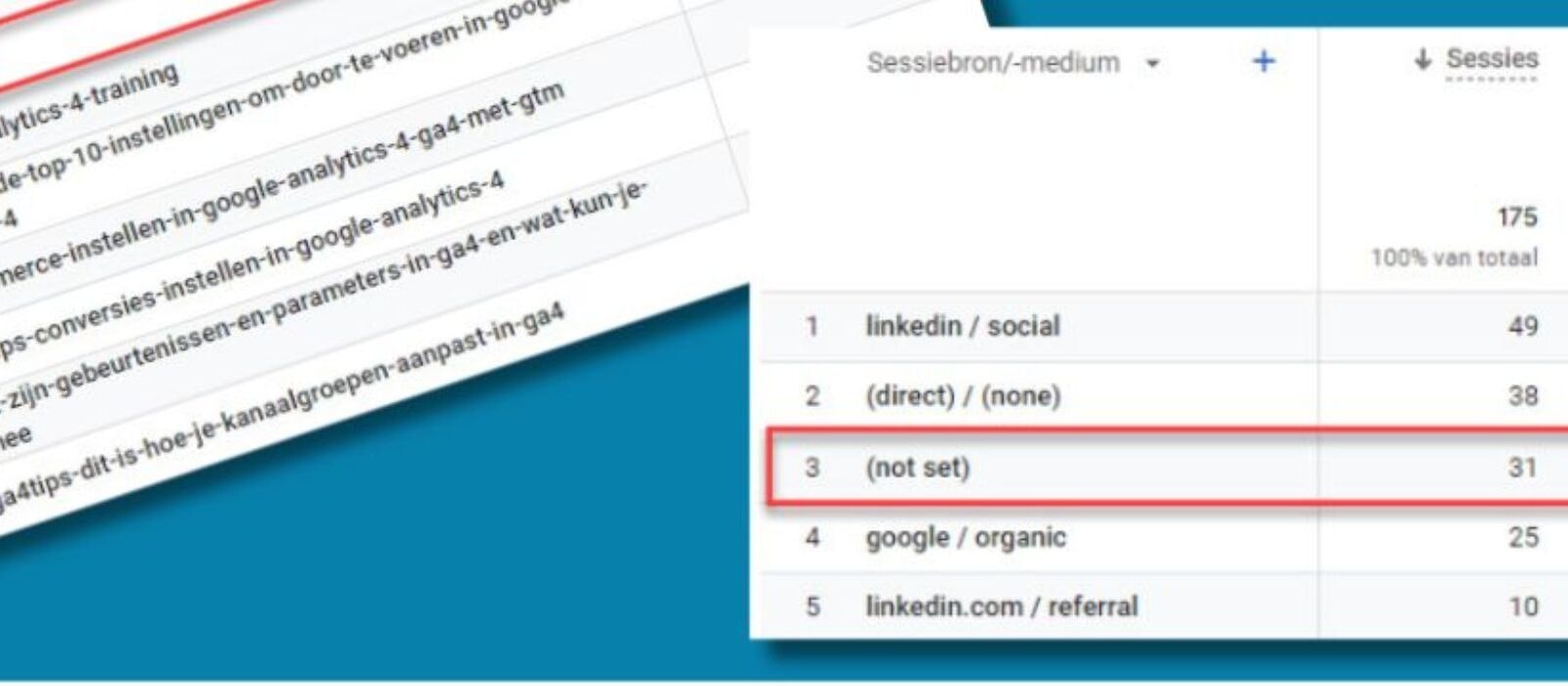
Google Analytics 4 is supposed to be the foundation of your cross-channel analysis. But most Shopify brands open GA4, see revenue numbers that don't match their Shopify dashboard, find 30% of traffic labeled "unassigned," and quietly stop trusting it. The problem isn't GA4 itself - it's that standard client-side tracking can't reliably capture Shopify ecommerce data in 2026.
TrackBee's GA4 integration fixes this by sending complete, first-party ecommerce data to GA4 server-side - without Google Tag Manager, without custom data layers, and without ongoing maintenance.
Why Standard GA4 Tracking Fails on Shopify
GA4 is client-side by default. It runs tracking scripts in the visitor's browser, which creates four structural problems for Shopify stores:
1. Consent banners, Consent Mode V2 enforcement, and ad blockers suppress events When a visitor dismisses your consent banner or has an ad blocker running, GA4 receives nothing. No pageview, no product view, no checkout event. With Consent Mode V2 now enforced across the EU, compliant consent handling is mandatory - and Google's Privacy Sandbox has been abandoned, meaning there's no browser-level alternative on the horizon. For Shopify stores with significant European traffic, this can mean losing 20–30% of events before they reach GA4.
2. iOS privacy restrictions block tracking Safari's Intelligent Tracking Prevention (ITP) limits cookie duration to 7 days. Link Tracking Protection in iOS 17+ strips UTM parameters from URLs. iOS 26 tightens in-app browser restrictions further, degrading attribution from Instagram and Facebook clicks. These restrictions break attribution and inflate "direct / (none)" traffic in GA4.
3. Shopify checkout pages are difficult to track client-side
Shopify's checkout is a distinct environment that limits third-party script access. Standard GA4 setups regularly miss add_to_cart, begin_checkout, and purchase events - the exact events that matter most for ecommerce analysis.
4. Attribution parameters don't survive the full journey When a customer clicks a Google Ads ad, navigates through multiple Shopify pages, and purchases on checkout, the gclid parameter often doesn't survive the full journey. GA4 attributes the conversion to "direct" and your Google Ads data shows a gap.
The result: inflated direct traffic, missing ecommerce events, mismatched revenue between Shopify and GA4, and reporting you can't trust.
The GTM-Based GA4 Setup and Its Limitations
The traditional approach to fixing GA4 on Shopify involves Google Tag Manager: create a custom data layer in Shopify's theme code, push events into GTM, configure GA4 tags and triggers for each event, and maintain this setup as Shopify updates its checkout architecture.
This works - but it comes with significant ongoing overhead:
-
Custom data layer variables need maintenance when Shopify updates its checkout extensibility
-
GTM container configuration is error-prone and requires technical expertise
-
Each client (for agencies) needs its own container and event mapping
-
Consent mode integration adds another layer of complexity
-
Debugging tracking issues requires GTM Preview mode and technical investigation
For agencies managing multiple Shopify clients, this approach multiplies the maintenance burden across every account.
What TrackBee's GA4 Integration Does Differently
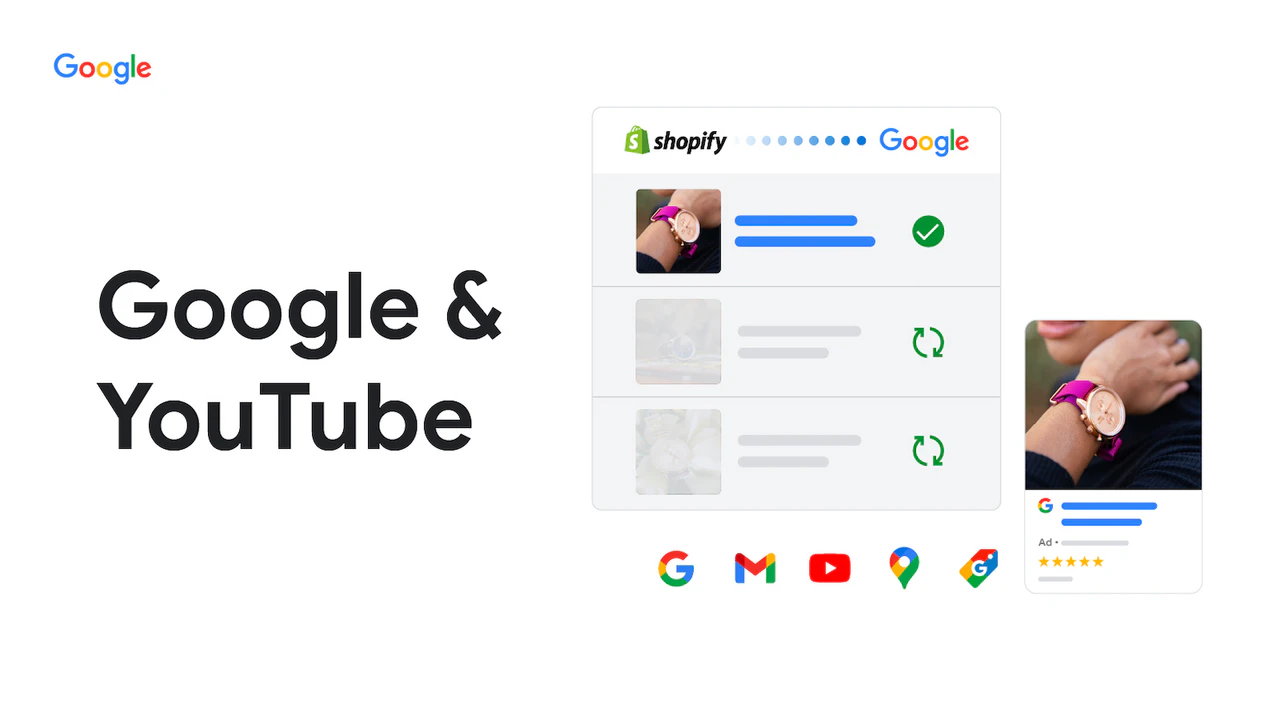
TrackBee connects directly to your Shopify store's backend and sends ecommerce events to GA4 server-side - bypassing the browser entirely.
What this means in practice:
-
Events are captured at the server level, not in the browser - ad blockers have no effect
-
Consent mode is handled correctly at the server layer
-
Checkout events (begin_checkout, add_payment_info, purchase) are captured reliably regardless of browser restrictions
-
UTM parameters from Google Ads, Meta, TikTok, and Pinterest are preserved and included in GA4 events
-
Klaviyo attribution parameters are included alongside ad platform attribution
What TrackBee eliminates:
-
Custom GTM containers per store
-
Custom data layer setup in Shopify theme code
-
Per-client event mapping and maintenance
-
Ongoing troubleshooting of client-side tracking failures
Setup takes minutes. After connecting your Shopify store and GA4 property, TrackBee begins sending server-side events automatically. No GTM account required.
Enriched Product Data in Every GA4 Event
Standard GA4 ecommerce events often include only partial product information - an item ID and a transaction value. TrackBee enriches every event with complete Shopify catalog data:
| Data point | Standard GA4 tracking | TrackBee GA4 integration |
|---|---|---|
| Product ID | Yes | Yes |
| Product name | Sometimes | Yes |
| Product category | Rarely | Yes |
| Variant (size, color) | No | Yes |
| SKU | No | Yes |
| Price | Yes | Yes |
| Discount applied | No | Yes |
| Quantity | Yes | Yes |
This enrichment transforms what GA4 can answer. Instead of "how many purchases happened," you can now ask:
-
Which product categories have the highest add-to-cart-to-purchase rate?
-
Which variants drive the most revenue vs. the most returns?
-
What's the conversion rate for each SKU across different traffic sources?
-
Which products are most often in abandoned carts vs. completed purchases?
New Analysis Capabilities with Complete Ecommerce Data
With TrackBee's GA4 integration running, your GA4 reports look different:
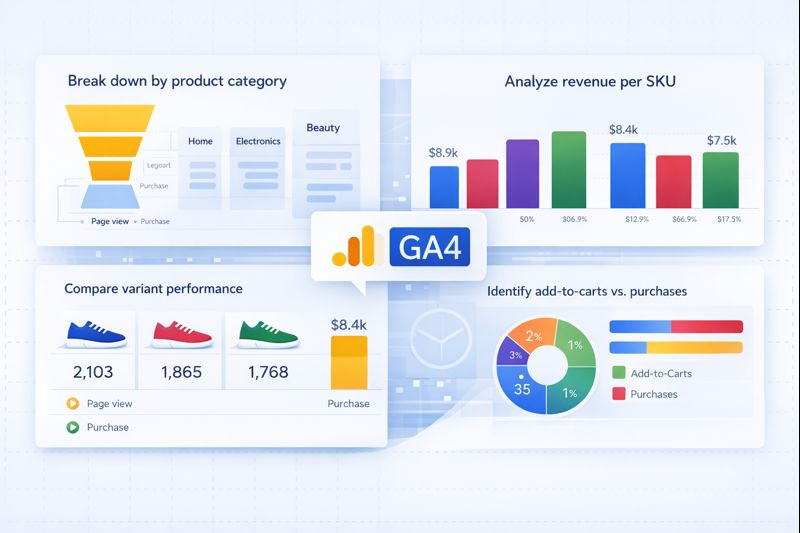
Ecommerce funnel with product context Break down the conversion funnel by product category, variant, or price range. Identify where specific product types lose customers - is the drop-off between product view and add-to-cart, or between add-to-cart and checkout completion?
Attribution accuracy GA4 Acquisition reports show traffic sources with correct attribution - not 30% "unassigned" because UTM parameters were stripped or cookies expired. Google Ads, Meta, TikTok, and Pinterest conversions are attributed correctly.
Revenue reconciliation Your GA4 revenue figures match your Shopify revenue dashboard because TrackBee sends order data from Shopify's backend, not from a browser script that may have fired incorrectly or missed the event.
Cross-channel path analysis GA4's path exploration reports become actionable when attribution is complete. You can trace the actual content paths customers take before purchasing - including which traffic sources initiate the journey vs. which ones close it.
Impact for Agencies and Shopify Brands
For agencies managing multiple Shopify clients:
-
Consistent GA4 data model across all accounts - the same events, the same enrichment, the same attribution
-
No per-client GTM maintenance when Shopify updates its checkout
-
Fewer client conversations about why GA4 numbers don't match Meta or Shopify
-
Reliable ecommerce reporting foundation for every account
For Shopify brands:
-
GA4 becomes a tool you can act on, not just reference skeptically
-
Product and variant data in GA4 enables decisions about inventory, advertising, and merchandising
-
Attribution clarity reduces time spent reconciling numbers across dashboards
-
Marketing decisions are based on complete data rather than partial signals
Frequently Asked Questions
Does TrackBee replace my existing GA4 setup? TrackBee complements your setup rather than replacing it. You can continue using client-side tracking for pageviews and session data while TrackBee provides server-side coverage for ecommerce events that client-side tracking misses. TrackBee handles event deduplication to prevent double-counting.
Do I need Google Tag Manager for TrackBee's GA4 integration? No. TrackBee connects directly to your GA4 property via the Measurement Protocol API. You don't need a GTM container, custom data layer, or any custom Shopify theme code.
Will this fix the "unassigned" traffic problem in GA4? Partially. The "unassigned" traffic category in GA4 comes from multiple sources - some from tracking gaps (which TrackBee addresses), some from dark social and direct traffic that genuinely has no referral data. TrackBee will reduce unassigned conversions specifically, ensuring purchase events arrive with correct attribution parameters.
Does this work with Shopify's one-page checkout? Yes. TrackBee captures events from Shopify's backend regardless of checkout format. The switch from three-step to one-page checkout doesn't affect server-side event capture. See: What Shopify's one-page checkout means for your tracking.
Can I still use Google Tag Manager for other tracking purposes? Yes. TrackBee handles ecommerce event tracking. GTM can continue to manage other non-ecommerce tags on your site if needed.
GA4 Is Only as Good as the Data It Receives
GA4's reporting capabilities aren't the problem. Its conversion funnel analysis, path exploration, and attribution modelling are genuinely powerful tools - when they have accurate, complete data to work with.
The standard client-side Shopify + GA4 setup doesn't provide that data. Browser restrictions, consent limitations, and checkout tracking gaps create a GA4 instance that's consistently unreliable for ecommerce decisions.
TrackBee's server-side GA4 integration fills that gap: complete ecommerce events, enriched with product data, attributed correctly, arriving without GTM maintenance overhead.


.png)


