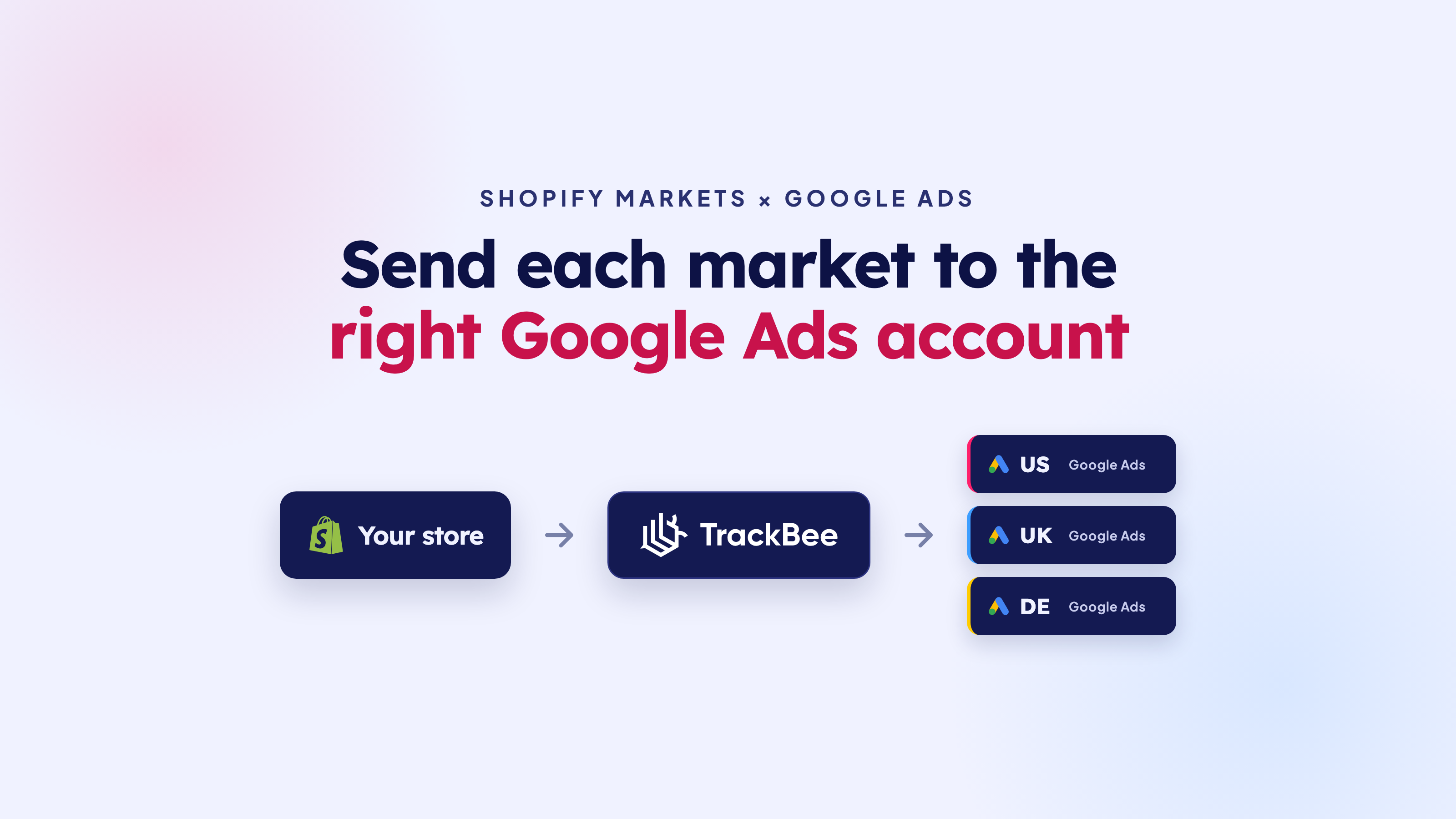

Shopify Markets and Google Ads: Send Each Market to the Right Account

June 11, 2026
Frank
Latest
Google Ads

Shopify Markets and Google Ads: Send Each Market to the Right Account

If you sell in more than one country with Shopify Markets, there's a good chance you run a separate Google Ads account per market. Different currency, different language, different budget, sometimes a different agency. The setup makes sense. The tracking usually doesn't keep up.

Here's what happens in most stores: every market's conversions get sent to one Google Ads account. So the account running your German campaigns receives orders from the US, the UK, and everywhere else. Smart Bidding then learns on a blended pool of data that doesn't match the campaigns it's actually bidding on.

This guide explains why that quietly drains performance, and how to send each Shopify Market's conversions to the right Google Ads account instead.

Short answer: Yes, you can route conversions per market. With TrackBee you connect one Google Ads account per Shopify Market, set which URLs each account advertises on, and every server-side conversion goes to the account that actually ran the campaign. Each market's Smart Bidding then optimises on its own data.

Why one Shopify store often runs multiple Google Ads accounts

Shopify Markets lets you run one store while tailoring the experience per region: local currency, language, pricing, and domains or subfolders per market. It's how a lot of brands sell across borders without spinning up a separate store for every country.

Advertising tends to mirror that structure. Once you're serious about a market, you usually give it its own Google Ads account so you can manage budget, currency, and optimisation goals separately. A US account chasing new customers at one CPA target. A German account defending brand search. A UK account testing a new range. Each one runs its own campaigns and answers to its own numbers.

That separation is the whole point. It only works if the conversion data stays separated too.

The problem: every market's conversions land in one account
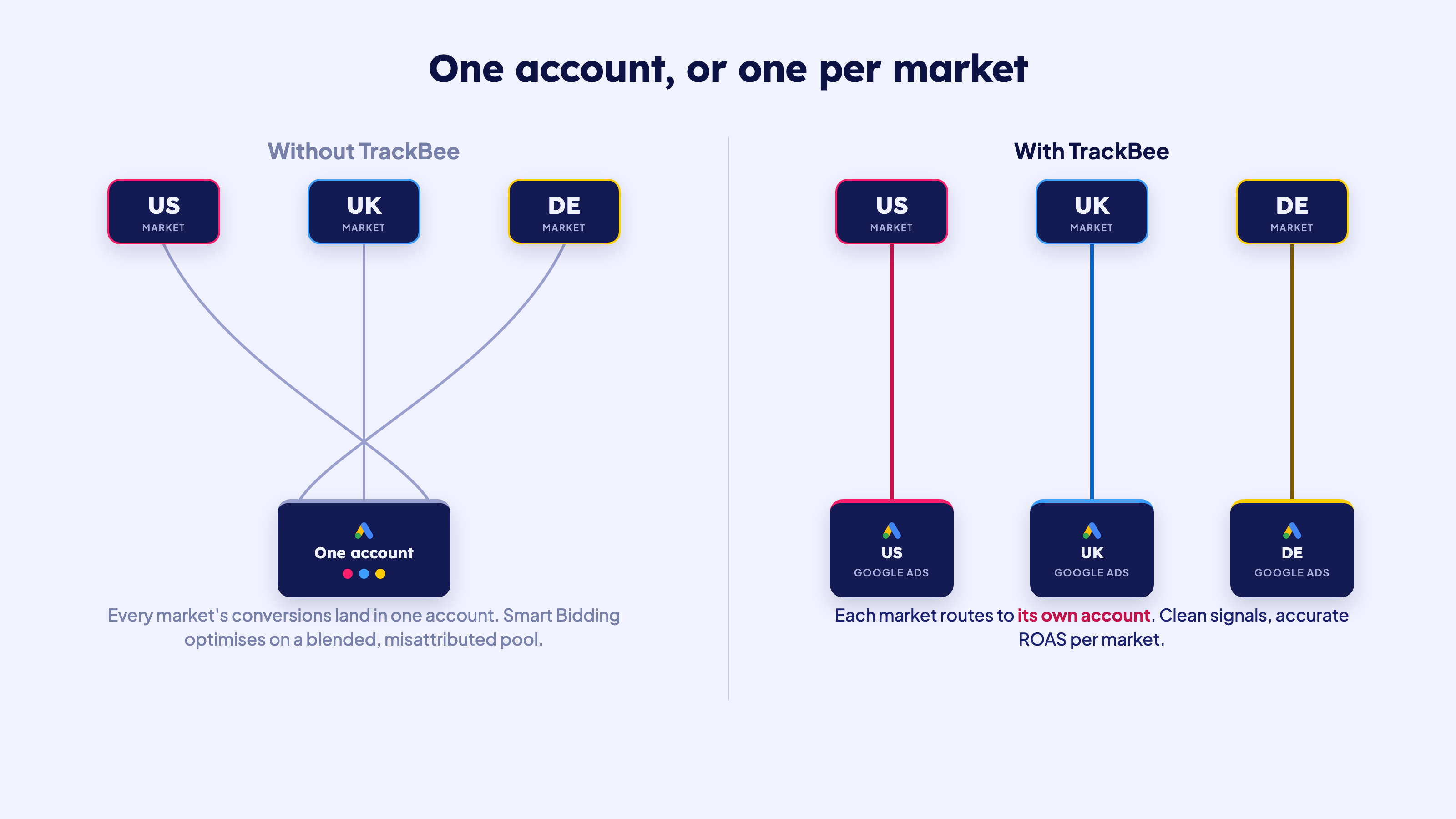
Most tracking setups send all conversions to a single Google Ads account, no matter which market the order came from. The result is exactly what you'd expect: the wrong account gets the data.

So your US account, which never touched that German order, gets credited for it. The German account that actually drove the sale sees nothing. Multiply that across thousands of orders and a few markets, and every account is now optimising on a mix of its own conversions and conversions it had nothing to do with.

You feel it in the reporting first. ROAS per market stops being trustworthy because the conversions aren't sitting in the accounts that earned them. You can't tell which market is actually carrying the others. And anything you build on top of those numbers, budget decisions, bid targets, expansion plans, inherits the same noise.

Why this breaks Smart Bidding and your ROAS

Smart Bidding only learns from the conversions an account receives. Give it clean data and it predicts which clicks lead to sales and bids accordingly. Feed it conversions from markets it doesn't run, and it learns the wrong lesson.

An account optimising on a blended pool will misjudge the value of its own clicks. It bids up for the wrong audiences, lets profitable ones go, and your CPA drifts in the wrong direction. The algorithm isn't broken. It's just doing its best with a signal that doesn't match reality.

This is the same root issue behind incomplete conversion tracking in general. If you want the full picture on why conversion quality drives bidding, our ultimate guide to Google Enhanced Conversions goes deep on it. Multi-market routing is the next layer: not just complete data, but data in the right account.

How to tell if this is happening to you

You don't need to take it on faith. A few signs your markets are bleeding into one account:

  • One account shows conversions from regions it doesn't advertise in. Pull the locations report and compare it against the account's actual targeting.
  • ROAS per market doesn't match what you see in Shopify. If a market looks clearly profitable in Shopify but flat in its own Google Ads account, the conversions are probably landing somewhere else.
  • The currencies don't line up. Orders in euros showing up in an account that only runs USD campaigns is a giveaway.
  • One account's conversion volume looks suspiciously high while the others look thin for the spend behind them.

If any of that sounds familiar, your conversions aren't sitting in the accounts that earned them, and your bidding is paying for it.

How TrackBee routes each market to the right account

TrackBee tracks your Shopify conversions server-side, straight from Shopify's servers, so you capture the orders that browser pixels miss. Shopify Markets support adds one thing on top: it sends each market's conversions to the Google Ads account that actually ran the campaign.
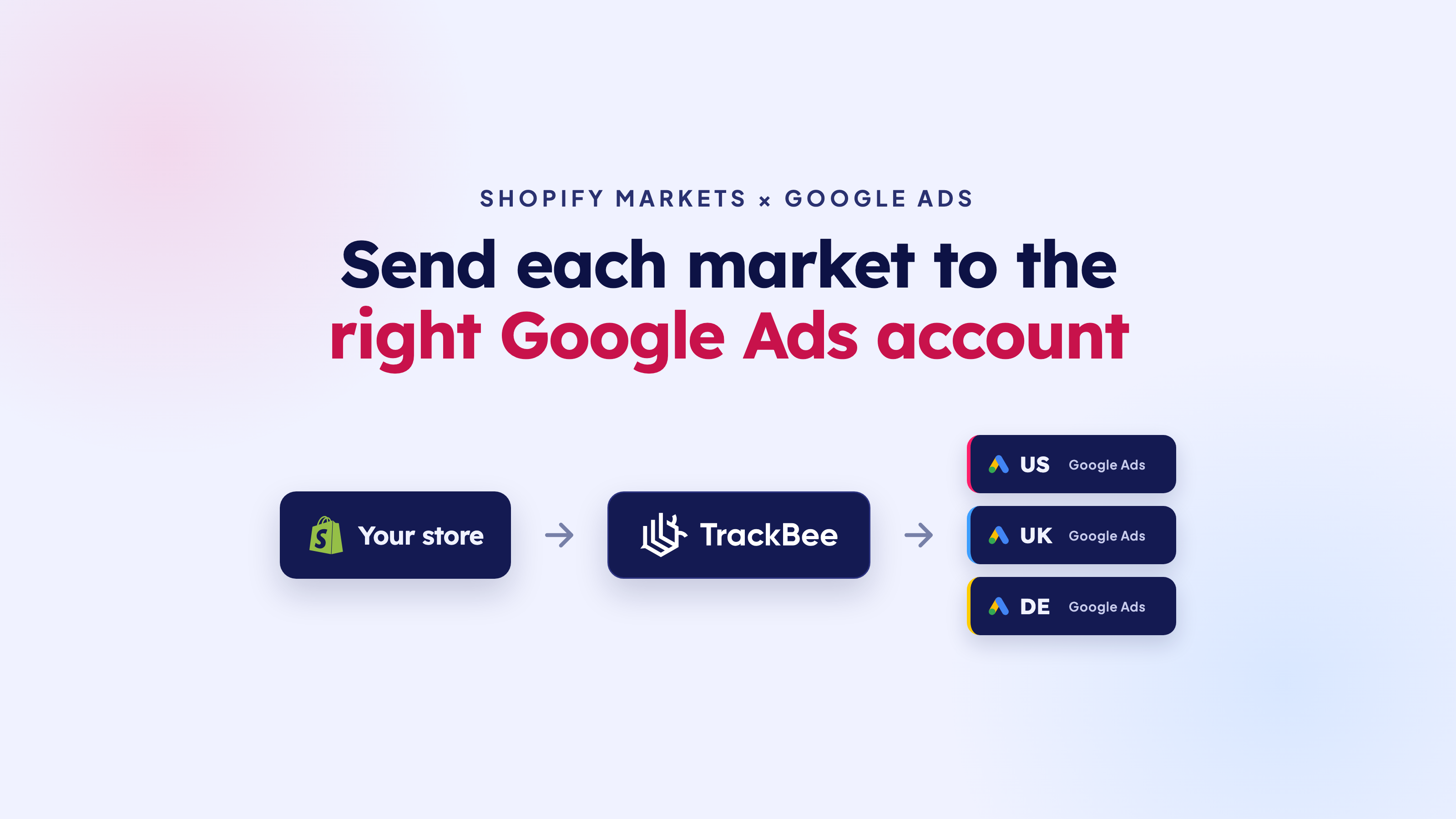
You tell TrackBee which Google Ads account belongs to which market, and which URLs each account advertises on. From then on, every conversion TrackBee recovers is matched to its market and routed to the right account. No blending, no manual tagging, no developer.

To be clear about what this is and isn't: Shopify Markets is your setup, you already use it to sell across regions. TrackBee doesn't change any of that. It makes sure the conversions it tracks land where they belong.

How to set it up

The whole thing lives in your TrackBee Google Ads settings. Four steps:

  1. Turn on the Shopify Markets toggle in your TrackBee Google Ads settings.
  2. Connect one Google Ads account per market. Add each account you want to send conversions to.
  3. Set which URLs each account advertises on. This is how TrackBee knows which market a conversion belongs to.
  4. Let it run. Every server-side conversion is routed to the right account automatically.

If you haven't connected Google Ads to TrackBee yet, start with the Google Ads integration and the Enhanced Conversions setup guide. Once the base integration is live, the Shopify Markets toggle takes a couple of minutes.

What you get
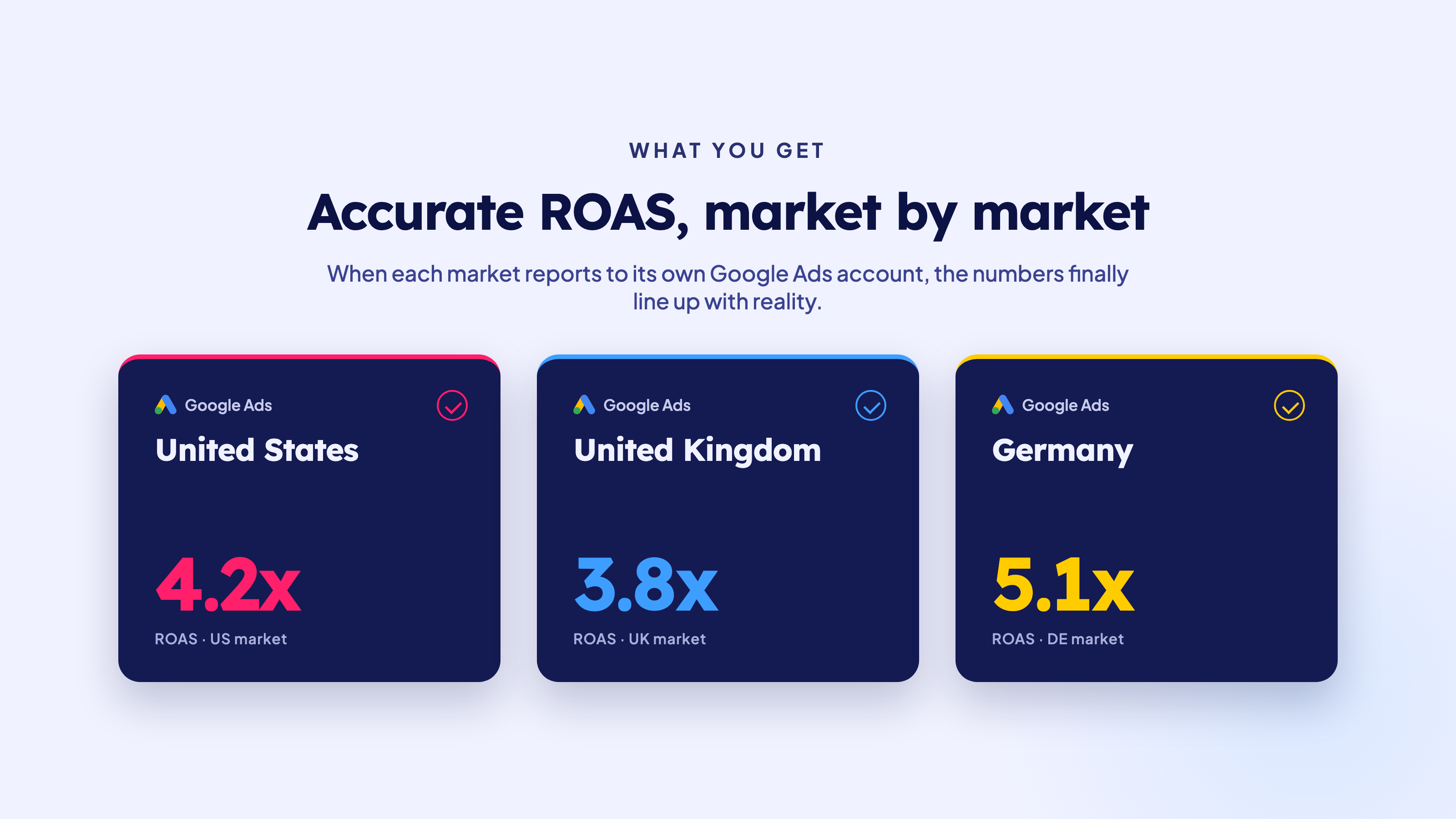
Once each market reports to its own account, a few things fall into place:

  • Smart Bidding in every account optimises on its own market's data, not a shared pool.
  • ROAS is accurate per market, so you can finally see which countries are profitable and which need work.
  • Reporting is clean. The numbers in each account belong to that account.
  • Budget decisions get easier, because you're reading real per-market performance instead of a blended average.

For more on how the full integration recovers conversions in the first place, see TrackBee's Google Ads integration for Shopify.

For agencies managing multiple markets

If you run Google Ads for a brand that sells across countries, this is the difference between a clean account structure and a constant cleanup job. Map each client's markets to their accounts once, and every market's bidding gets its own honest signal. You spend less time explaining why the numbers don't add up, and more time scaling the markets that work.

FAQ

Can each Shopify Market report to its own Google Ads account?

Yes. TrackBee supports multi-account Google Ads tracking for Shopify Markets. Turn on the Shopify Markets toggle, connect one Google Ads account per market, and set which URLs each one advertises on. TrackBee then routes every server-side conversion to the account that ran the campaign for that market.

Do I need a separate Google Ads account for every market?

Only if you already run them that way. The feature is built for stores that have multiple Google Ads accounts. If you run everything from one account, you don't need it, your conversions already go to the right place.

What if two markets share one Google Ads account?

That's fine. You map markets to accounts however your setup actually works. Two markets can point to the same account, or each can have its own. You decide the mapping.

Does this work with Enhanced Conversions?

Yes. Enhanced Conversions and multi-market routing work together. TrackBee sends hashed first-party data with every conversion for match quality, and routes that conversion to the correct account for the market.

Will routing cause duplicate conversions across accounts?

No. Each conversion is sent once, to one account, with a unique order ID. Google's transaction-ID deduplication handles any overlap with an existing tag, so nothing gets double counted.

Do I still need Google Tag Manager?

No. TrackBee handles conversion tracking server-side, independent of GTM. You can keep an existing GTM setup as a backup, but you don't need it for any of this.

Stop blending your markets

Every market deserves its own clean signal. Connect your accounts, map your markets, and let Smart Bidding optimise on data that actually matches the campaigns it's bidding on.

Start your free trial or book a demo and have it live in a few minutes.

In this article
Boost Your Revenue
Track Missing Conversion Data
Lorem Ipsum

Boost Your Revenue

Track & Enrich
Missing Conversion Data

Try for free
Share this:

If you sell in more than one country with Shopify Markets, there's a good chance you run a separate Google Ads account per market. Different currency, different language, different budget, sometimes a different agency. The setup makes sense. The tracking usually doesn't keep up.

Here's what happens in most stores: every market's conversions get sent to one Google Ads account. So the account running your German campaigns receives orders from the US, the UK, and everywhere else. Smart Bidding then learns on a blended pool of data that doesn't match the campaigns it's actually bidding on.

This guide explains why that quietly drains performance, and how to send each Shopify Market's conversions to the right Google Ads account instead.

Short answer: Yes, you can route conversions per market. With TrackBee you connect one Google Ads account per Shopify Market, set which URLs each account advertises on, and every server-side conversion goes to the account that actually ran the campaign. Each market's Smart Bidding then optimises on its own data.

Why one Shopify store often runs multiple Google Ads accounts

Shopify Markets lets you run one store while tailoring the experience per region: local currency, language, pricing, and domains or subfolders per market. It's how a lot of brands sell across borders without spinning up a separate store for every country.

Advertising tends to mirror that structure. Once you're serious about a market, you usually give it its own Google Ads account so you can manage budget, currency, and optimisation goals separately. A US account chasing new customers at one CPA target. A German account defending brand search. A UK account testing a new range. Each one runs its own campaigns and answers to its own numbers.

That separation is the whole point. It only works if the conversion data stays separated too.

The problem: every market's conversions land in one account

Most tracking setups send all conversions to a single Google Ads account, no matter which market the order came from. The result is exactly what you'd expect: the wrong account gets the data.

So your US account, which never touched that German order, gets credited for it. The German account that actually drove the sale sees nothing. Multiply that across thousands of orders and a few markets, and every account is now optimising on a mix of its own conversions and conversions it had nothing to do with.

You feel it in the reporting first. ROAS per market stops being trustworthy because the conversions aren't sitting in the accounts that earned them. You can't tell which market is actually carrying the others. And anything you build on top of those numbers, budget decisions, bid targets, expansion plans, inherits the same noise.

Why this breaks Smart Bidding and your ROAS

Smart Bidding only learns from the conversions an account receives. Give it clean data and it predicts which clicks lead to sales and bids accordingly. Feed it conversions from markets it doesn't run, and it learns the wrong lesson.

An account optimising on a blended pool will misjudge the value of its own clicks. It bids up for the wrong audiences, lets profitable ones go, and your CPA drifts in the wrong direction. The algorithm isn't broken. It's just doing its best with a signal that doesn't match reality.

This is the same root issue behind incomplete conversion tracking in general. If you want the full picture on why conversion quality drives bidding, our ultimate guide to Google Enhanced Conversions goes deep on it. Multi-market routing is the next layer: not just complete data, but data in the right account.

How to tell if this is happening to you

You don't need to take it on faith. A few signs your markets are bleeding into one account:

  • One account shows conversions from regions it doesn't advertise in. Pull the locations report and compare it against the account's actual targeting.
  • ROAS per market doesn't match what you see in Shopify. If a market looks clearly profitable in Shopify but flat in its own Google Ads account, the conversions are probably landing somewhere else.
  • The currencies don't line up. Orders in euros showing up in an account that only runs USD campaigns is a giveaway.
  • One account's conversion volume looks suspiciously high while the others look thin for the spend behind them.

If any of that sounds familiar, your conversions aren't sitting in the accounts that earned them, and your bidding is paying for it.

How TrackBee routes each market to the right account

TrackBee tracks your Shopify conversions server-side, straight from Shopify's servers, so you capture the orders that browser pixels miss. Shopify Markets support adds one thing on top: it sends each market's conversions to the Google Ads account that actually ran the campaign.

You tell TrackBee which Google Ads account belongs to which market, and which URLs each account advertises on. From then on, every conversion TrackBee recovers is matched to its market and routed to the right account. No blending, no manual tagging, no developer.

To be clear about what this is and isn't: Shopify Markets is your setup, you already use it to sell across regions. TrackBee doesn't change any of that. It makes sure the conversions it tracks land where they belong.

How to set it up

The whole thing lives in your TrackBee Google Ads settings. Four steps:

  1. Turn on the Shopify Markets toggle in your TrackBee Google Ads settings.
  2. Connect one Google Ads account per market. Add each account you want to send conversions to.
  3. Set which URLs each account advertises on. This is how TrackBee knows which market a conversion belongs to.
  4. Let it run. Every server-side conversion is routed to the right account automatically.

If you haven't connected Google Ads to TrackBee yet, start with the Google Ads integration and the Enhanced Conversions setup guide. Once the base integration is live, the Shopify Markets toggle takes a couple of minutes.

What you get

Once each market reports to its own account, a few things fall into place:

  • Smart Bidding in every account optimises on its own market's data, not a shared pool.
  • ROAS is accurate per market, so you can finally see which countries are profitable and which need work.
  • Reporting is clean. The numbers in each account belong to that account.
  • Budget decisions get easier, because you're reading real per-market performance instead of a blended average.

For more on how the full integration recovers conversions in the first place, see TrackBee's Google Ads integration for Shopify.

For agencies managing multiple markets

If you run Google Ads for a brand that sells across countries, this is the difference between a clean account structure and a constant cleanup job. Map each client's markets to their accounts once, and every market's bidding gets its own honest signal. You spend less time explaining why the numbers don't add up, and more time scaling the markets that work.

FAQ

Can each Shopify Market report to its own Google Ads account?

Yes. TrackBee supports multi-account Google Ads tracking for Shopify Markets. Turn on the Shopify Markets toggle, connect one Google Ads account per market, and set which URLs each one advertises on. TrackBee then routes every server-side conversion to the account that ran the campaign for that market.

Do I need a separate Google Ads account for every market?

Only if you already run them that way. The feature is built for stores that have multiple Google Ads accounts. If you run everything from one account, you don't need it, your conversions already go to the right place.

What if two markets share one Google Ads account?

That's fine. You map markets to accounts however your setup actually works. Two markets can point to the same account, or each can have its own. You decide the mapping.

Does this work with Enhanced Conversions?

Yes. Enhanced Conversions and multi-market routing work together. TrackBee sends hashed first-party data with every conversion for match quality, and routes that conversion to the correct account for the market.

Will routing cause duplicate conversions across accounts?

No. Each conversion is sent once, to one account, with a unique order ID. Google's transaction-ID deduplication handles any overlap with an existing tag, so nothing gets double counted.

Do I still need Google Tag Manager?

No. TrackBee handles conversion tracking server-side, independent of GTM. You can keep an existing GTM setup as a backup, but you don't need it for any of this.

Stop blending your markets

Every market deserves its own clean signal. Connect your accounts, map your markets, and let Smart Bidding optimise on data that actually matches the campaigns it's bidding on.

Start your free trial or book a demo and have it live in a few minutes.

Latest

Discover other Blogs

Explore our collection of informative and engaging blog posts.

Huben Ovcharov
6
min read
Why Your Shopify Sales Don't Match Meta and Google Ads
Frank
Frank
9
min read
Shopify Conversion Rate Drop? Check Your Tracking
Frank
Frank
10
min read
